APK BUILDER
APP BUILDER
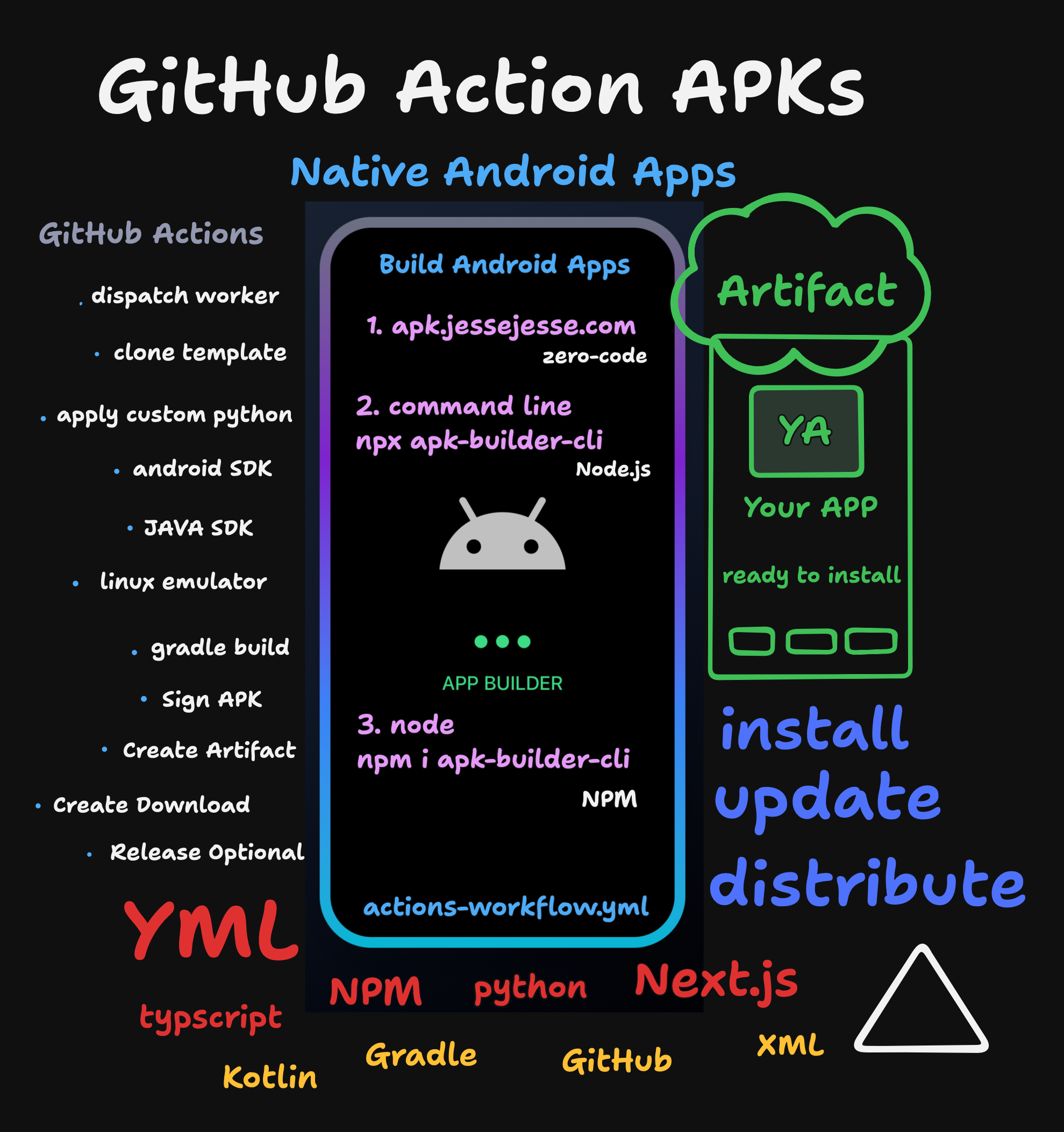
A cross-platform tool to build native Android Apps with Kotlin, Python, and GitHub Actions.
Built by sudo-self





Website
apk.jessejesse.com
Features
Single Command APK Generation
No complex setup or coding required.
Customizable Appearance
Customize app colors, icons, and names to match your brand or preferences.
Native Android Experience
built with kotlin & Gradle
Cloud Builds with GitHub Actions
Leverage GitHub Actions for cloud-based APK generation. No local Android SDK needed.
Automatic APK Download
Generated APK files are automatically downloaded after build completion.
GitHub Releases Integration
Optional GitHub Releases for version management and distribution.
Command Line
terminal
$
npx apk-builder-cli
# Follow the interactive prompts
Using npx (Recommended)
npx apk-builder-cliGlobal Installation
npm install -g apk-builder-cli
apk-builder
Using Environment Variable
export GITHUB_TOKEN=your_github_token_here
npx apk-builder-cli
Prerequisites
#
Required:
-
Node.js
18 or higher
- GitHub Personal Access Token with:
• `repo` scope
• `workflow` scope
Curl
Basic APK
curl -X POST \
  -H "Authorization: token $GITHUB_TOKEN" \
  -H "Accept: application/vnd.github.v3+json" \
  https://api.github.com/repos/sudo-self/apk-builder-actions/dispatches \
  -d '{
    "event_type": "apk_build",
    "client_payload": {
      "buildConfig": {
        "buildId": "ai-app-$(date +%s)",
        "hostName": "ai.jessejesse.com",
        "name": "AI",
        "launchUrl": "https://ai.jessejesse.com",
        "launcherName": "AI",
        "themeColor": "#2196F3",
        "themeColorDark": "#1976D2",
        "backgroundColor": "#FFFFFF",
        "iconChoice": "phone",
        "iconUrl": "https://apk.jessejesse.com/phone-512.png",
        "publishRelease": false
      }
    }
  }'
Custom Icon
curl -X POST \
  -H "Authorization: token $GITHUB_TOKEN" \
  -H "Accept: application/vnd.github.v3+json" \
  https://api.github.com/repos/sudo-self/apk-builder-actions/dispatches \
  -d '{
    "event_type": "apk_build",
    "client_payload": {
      "buildConfig": {
        "buildId": "castle-$(date +%s)",
        "hostName": "jessejesse.com",
        "name": "CastleApp",
        "launchUrl": "https://jessejesse.com",
        "launcherName": "Castle",
        "themeColor": "#8B4513",
        "themeColorDark": "#654321",
        "backgroundColor": "#F5F5DC",
        "iconChoice": "shield",
        "iconUrl": "https://apk.jessejesse.com/shield-512.png",
        "publishRelease": false
      }
    }
  }'
Minimal Build
curl -X POST \
  -H "Authorization: token $GITHUB_TOKEN" \
  -H "Accept: application/vnd.github.v3+json" \
  https://api.github.com/repos/sudo-self/apk-builder-actions/dispatches \
  -d '{
    "event_type": "apk_build",
    "client_payload": {
      "buildConfig": {
        "buildId": "minimal-$(date +%s)",
        "hostName": "com.example.myapp",
        "name": "My App",
        "launchUrl": "https://example.com",
        "launcherName": "My App",
        "themeColor": "#3b82f6",
        "themeColorDark": "#1e40af",
        "backgroundColor": "#ffffff",
        "iconChoice": "phone",
        "iconUrl": "https://apk.jessejesse.com/phone-512.png",
        "publishRelease": false
      }
    }
  }'